TRUCK SOFTWARE






 CLAAS
CLAAS CNH
CNH





 HITACHI



 JPRO
JPRO KUBOTA
 MAGIC TUNER
 MANITOU
 NEXIQ
NEXIQ NONSELF
 PACCAR


 PSI POWERLINK







 ZF TESTMAN



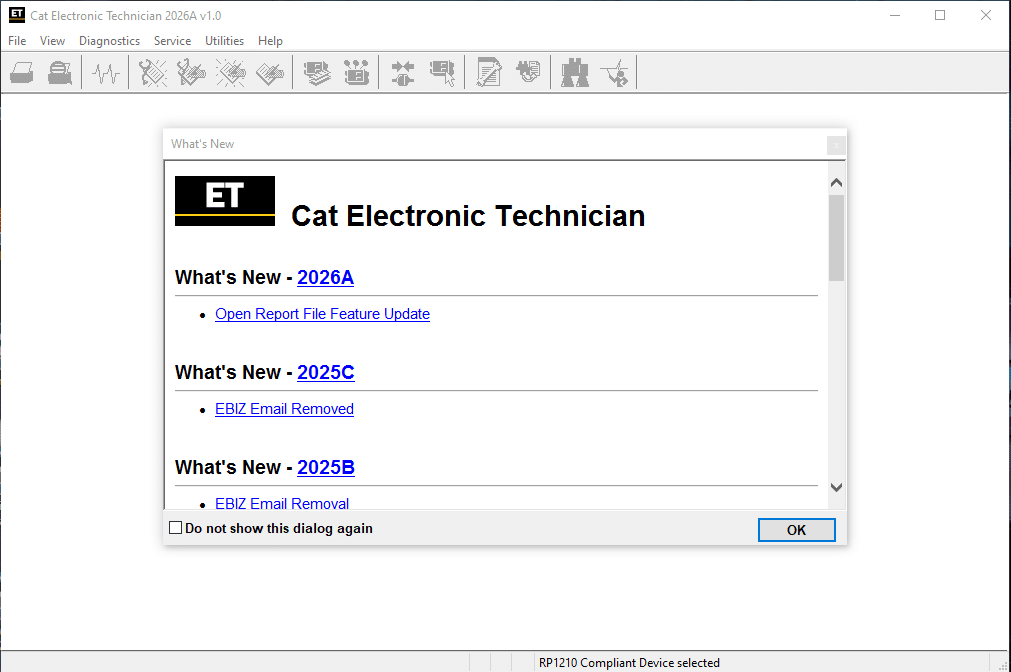


CAT ET 2026 Diagnostic Software: Your Essential Tool for Caterpillar Machines
CAT ET 2026 Diagnostic Software is a key tool for diagnosing Caterpillar machinery. It enables technicians to read fault codes, monitor engine parameters, and calibrate components for optimal performance. This software is compatible with Windows operating systems and supports installation through TeamViewer. It provides an efficient solution for maintenance and troubleshooting in the construction and industrial sectors.
Table of Contents
ToggleFeatures and Capabilities of CAT ET 2026
This diagnostic tool offers a comprehensive suite of features tailored to the needs of heavy machinery operations. Users can engage with the electronic control modules (ECMs) of Caterpillar machines efficiently.
- Fault Code Management: Capable of reading and clearing diagnostic trouble codes (DTCs), streamlining the troubleshooting process.
- Real-Time Data Monitoring: Monitors critical engine parameters such as RPM, temperature, and pressure, which are essential for effective diagnostics and preventive maintenance.
- Component Testing: Enables users to test individual components, including sensors and control modules, to ensure optimal functionality.
- Calibration and Configuration: Offers advanced calibration options to adjust components for enhanced machine performance, enabling updates to ECM software to maintain efficiency.
The tool also includes access to service reminders and maintenance schedules, aiding operators in adhering to routine checks. Its reporting capabilities allow for detailed analysis of operational data over time, essential for identifying trends and intermittent issues.
Additional features include performance monitoring, which assesses fuel efficiency and load capacity. This not only helps in maintaining operational efficiency but also in generating comprehensive reports for service recordkeeping.
System Requirements and Installation Process
To run CAT ET 2026 Diagnostic Software effectively, certain system requirements must be met. This ensures optimal performance and compatibility with Caterpillar machinery. The software is designed to operate on specific versions of Windows.
- Operating System: Windows 10 x64 or Windows 11 x64.
- Download Size: Approximately 670 MB.
- Installation Space Required: At least 1.7 GB of available storage.
- Compatible Adapters: Requires CAT CA3 or other RP-1210 compatible communication adapters, such as Nexiq and Noregon.
The installation process is streamlined for user convenience. A remote installation can be facilitated using TeamViewer or AnyDesk. This allows technicians to securely access the system and configure the software efficiently.
Once the software is downloaded, the installation can be initiated remotely to save time and ensure accuracy. This method provides a hassle-free setup experience, enabling users to focus on diagnosing and optimizing their machinery without unnecessary delays.
Practical Applications in Construction and Industrial Equipment
The efficient functionality of diagnostic software is critical for the uptime and reliability of heavy machinery used in construction and industrial sectors. Fault detection and monitoring are indispensable tools in maintaining high operational standards. When applied to various types of equipment, the software serves numerous practical purposes:
- Enables quick diagnosis of issues in excavators, bulldozers, and loaders, minimizing downtime.
- Facilitates real-time data monitoring, allowing operators to keep track of engine performance metrics such as RPM, temperature, and pressure.
- Supports individualized component testing, ensuring that sensors and control modules function properly under varying conditions.
- Allows for precise calibration and adjustments to optimize performance based on specific worksite requirements.
Furthermore, the application of this software spans different types of machinery used in various industrial contexts. Examples include:
- Heavy-duty trucks used for transporting materials.
- Mining equipment requiring specialized diagnostic capabilities.
- Generators and power equipment crucial in construction sites.
The ability to generate detailed reports on machine efficiency and historical data trends empowers technicians to make informed maintenance decisions. Through accurate diagnostics, organizations can enhance their operational capabilities and ensure that their equipment remains in top condition, leading to increased productivity across all projects.
Benefits to Technicians and Operators
The implementation of advanced diagnostic software brings numerous advantages to both technicians and operators in the field of heavy machinery. The ability to quickly read and clear fault codes enhances efficiency during maintenance tasks, allowing for swift identification of issues before they escalate into significant problems.
Operational costs are significantly reduced through precise diagnostics. The software minimizes unnecessary parts replacements by pinpointing exact failures. This targeted approach not only conserves resources but also saves time, fostering a more efficient workflow.
- Users can customize machine settings to meet specific job requirements, thereby optimizing performance and productivity.
- The capability to monitor real-time engine parameters aids in proactive maintenance, ensuring that machines operate within safe limits.
- Advanced calibration features allow for fine-tuning various components, enhancing overall machine functionality.
Access to comprehensive performance data empowers technicians to conduct in-depth analyses. This information is invaluable for making informed decisions regarding operational adjustments and maintenance schedules. Generating detailed reports further aids in compliance and documentation efforts.
The user-friendly interface promotes a smooth learning curve, enabling technicians to utilize the software effectively with minimal training. Overall, the integration of diagnostic tools not only supports operational efficiency but also elevates the standards of maintenance practices within the industry.