TRUCK SOFTWARE






 CLAAS
CLAAS CNH
CNH




 HITACHI



 JPRO
JPRO KUBOTA
 MAGIC TUNER
 MANITOU
 NEXIQ
NEXIQ NONSELF
 PACCAR


 PSI POWERLINK






 ZF TESTMAN



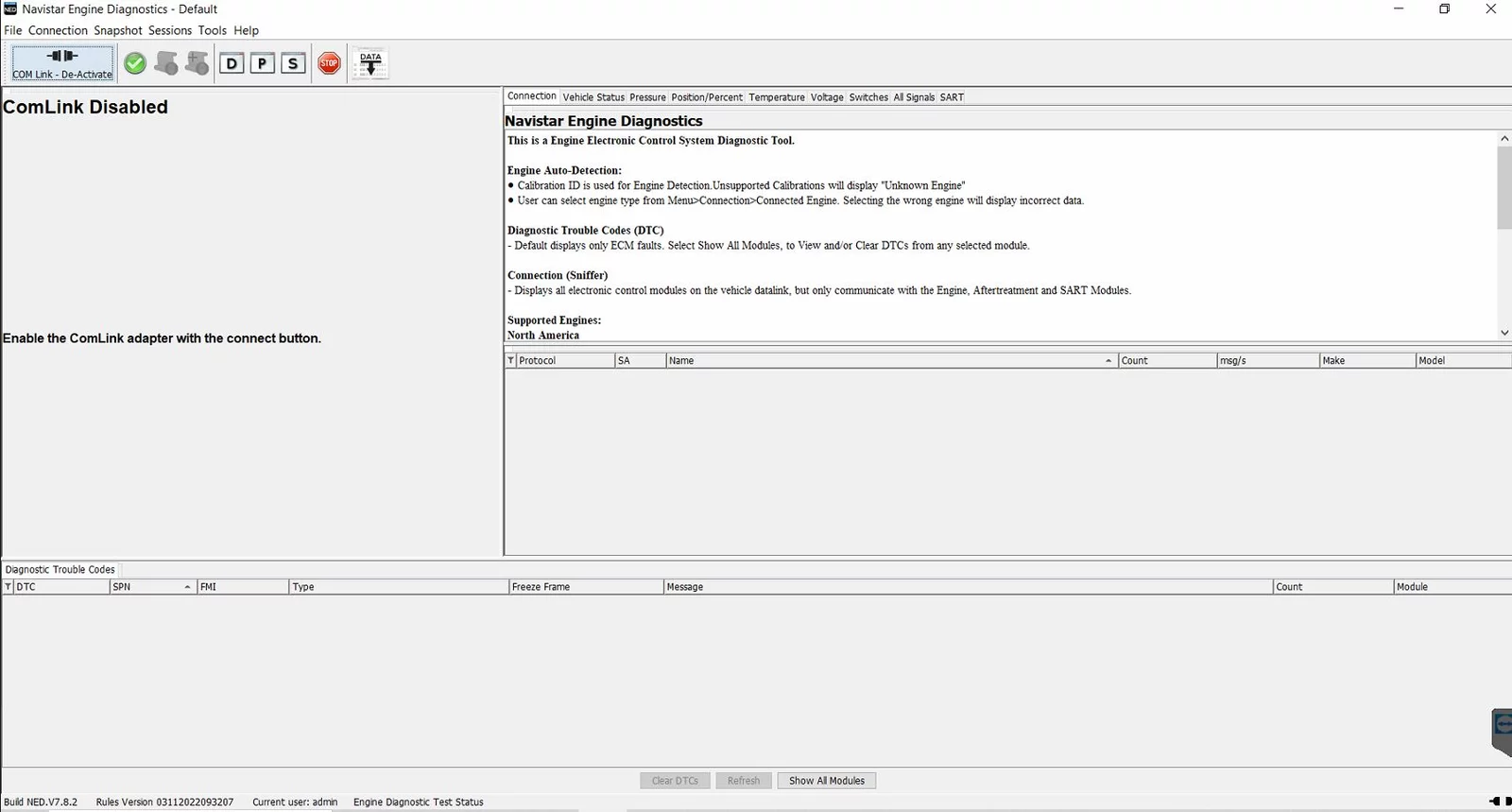


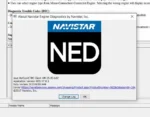


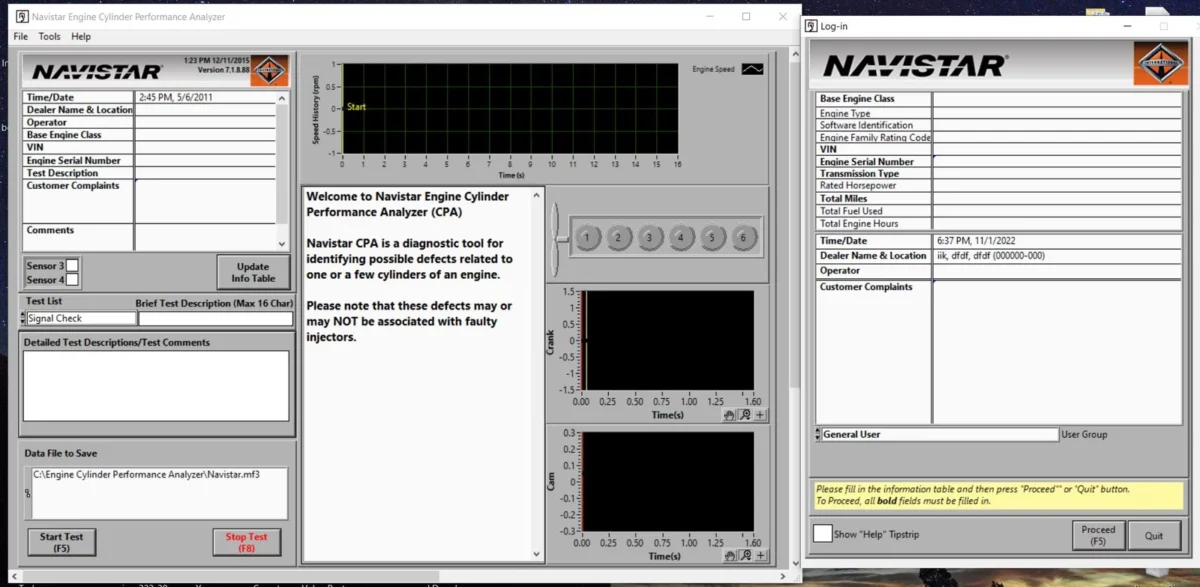
NED Navistar Engine Diagnostics Software 2023 is a powerful tool designed for monitoring and diagnosing International Navistar engines. It helps technicians optimize vehicle performance and reduce downtime. This software provides essential features such as real-time data monitoring and customizable engine settings. Its compatibility with various systems ensures seamless integration for effective fleet management.
Table of Contents
ToggleKey Features of NED Navistar Engine Diagnostics Software 2023
This software includes several innovative features designed to enhance the efficiency and accuracy of engine diagnostics.
Real-time Data Monitoring
With advanced data tracking capabilities, this feature allows users to observe engine performance in real time. It captures crucial operational metrics such as RPM, engine load, temperature, and fuel efficiency. This continuous monitoring enables technicians to make informed decisions quickly.
Diagnostic Trouble Codes (DTC)
The ability to retrieve and display Diagnostic Trouble Codes is a key component. Users can identify and troubleshoot issues effectively, addressing problems before they lead to significant engine failures. The software provides detailed descriptions and possible solutions for each code, streamlining the repair process.
Customizable Engine Settings
Versatility is evident in the customization options for engine settings. Technicians can modify parameters to meet specific client requirements or operational conditions. This personalization enhances overall engine performance and helps optimization for various applications and settings.
Service Bay Tests
Integrated service bay tests enable the execution of critical checks without additional tools. This feature simplifies the diagnostic process, allowing mechanics to perform essential evaluations and calibrations directly through the software. Efficient testing capabilities save time and enhance service productivity.
Compatibility and Requirements
Understanding the compatibility and system requirements is crucial for the effective use of the diagnostic software.
Supported Navistar Engines
The software provides extensive support for various Navistar engines, ensuring a wide range of vehicle compatibility. Users can take advantage of the following models:
- International A26 SCR
- N13 SCR and N10 SCR
System Requirements
To function optimally, specific system requirements must be met. These ensure that the software installs and operates without issues.
Operating System Compatibility
For seamless installation, it’s critical to have a compatible operating system. The software supports:
- Windows 11
- Windows 10
- Windows 8
- Windows 7 (64-bit)
Required Adapters
Connecting the software to the vehicle’s engine requires specific adapters to facilitate communication. The necessary adapters include:
- NEXIQ – USB-Link (1, 2, 3)
- Dearborn Group Technologies – DPA4+, DPA5+
- Noregon – DLA+, DLA+ 2.0, DLA+ Wireless
USB Link Options
Choosing the right USB link option is essential for optimal performance. The listed USB links enhance data transfer efficiency between the software and the engine.
Installation and Activation Process
Efficient installation and activation of the software are essential for optimal function. The following sections outline the steps involved in successfully setting up the software.
Online Installation via TeamViewer
Installation is streamlined through remote assistance using TeamViewer. This method enables technicians to access the system directly, ensuring a hassle-free setup. The process is initiated upon purchasing the software, allowing the user to get up and running swiftly.
High-Speed Download Link
Upon completion of the purchase, users receive a high-speed download link that facilitates immediate access to the software. This ensures that there are no delays in obtaining the necessary files. The link is designed to be user-friendly and supports quick downloads.
Account Creation and Setup
Before utilizing the software, users must create an account to manage their licenses efficiently. The setup process includes the following steps:
- Provide essential information to register for an account.
- Follow prompts to confirm the account via email.
- Log in to the account to access installation resources and support.
Creating an account is crucial for tracking updates and obtaining customer support throughout the software’s use.
Benefits for Fleet Management
Efficient fleet management is crucial for maximizing performance and reducing operational costs. The insights and tools provided by diagnostic software can significantly enhance the management of heavy machinery and trucks.
Performance and Longevity
Improving engine performance contributes to the overall lifespan of vehicles. Consistent monitoring allows for timely interventions, ensuring engines run at optimal efficiency. Key advantages include:
- Enhanced performance metrics that lead to better fuel efficiency.
- Proactive maintenance routines that prevent major breakdowns.
- Extended vehicle lifespan through regular diagnostics and adjustments.
Cost Reduction Strategies
Cost management is paramount for any fleet operation. Implementing effective diagnostic tools can lead to substantial savings:
- Reduction in unexpected repair costs through early identification of issues.
- Decreased downtime by resolving problems swiftly before they escalate.
- Optimized maintenance schedules, minimizing unnecessary service visits.
Remote Support Capabilities
Remote support enhances the flexibility and efficiency of fleet management. With access to expert assistance without geographical constraints, fleets benefit from:
- Quick resolutions to technical issues via remote diagnostics.
- Guidance on troubleshooting without the need for physical presence.
- Timely updates and enhancements based on the latest software capabilities.
Comparisons with Other Diagnostic Tools
Assessing the capabilities of diagnostic tools reveals important distinctions that can influence operational efficiency in heavy machinery.
Bendix ACom Pro vs. NED
The Bendix ACom Pro is recognized for its focus on brake systems and safety-related diagnostics. In contrast, NED encompasses a broader range of functionalities tailored to International Navistar engines. While Bendix provides in-depth brake analysis, NED offers comprehensive engine diagnostics, allowing mechanics to diagnose a wider array of issues quickly and effectively.
allison DOC Premium Features
Allison DOC offers specialized diagnostics for Allison transmissions, boasting features such as real-time performance monitoring and troubleshooting tools. However, it lacks the extensive engine monitoring capabilities provided by NED. Fleet managers might find NED more beneficial if they require integrated engine and transmission diagnostics for improved overall fleet management.
Diamond Logic Builder DLB Integration
The Diamond Logic Builder (DLB) system is tailored for vehicles equipped with specific electrical systems, providing excellent diagnostic functions for those applications. While significant, DLB’s scope is narrower compared to the versatile features of NED, which supports numerous engines and diagnostic needs within the Navistar lineup.
User Feedback and Testimonials
User experiences with NED Navistar Engine Diagnostics Software highlight its effectiveness and usability across the industry. Mechanics and fleet managers share valuable insights regarding performance and practical benefits.
Real-world Performance Insights
Many users report enhanced engine diagnostics, attributing faster troubleshooting to the software’s intuitive interface. Mechanics have expressed appreciation for the following:
- Quick retrieval of diagnostic trouble codes (DTC).
- Real-time monitoring that helps identify issues before they escalate.
- Accurate engine performance evaluations, leading to improved maintenance strategies.
Satisfaction Stories from Mechanics
Technicians across various workshops have praised the software for its ease of implementation and remote support capabilities. Testimonials include:
- Improved workflow and reduced downtime during repairs.
- A higher level of confidence in making engine adjustments on-site.
- Positive interactions with customer support through remote assistance.
Impact on Fleet Operations
The integration of NED into fleet management systems has dramatically influenced operational efficiency. Users note several advantages:
- Significant cost savings attributed to proactive maintenance scheduling.
- Enhanced vehicle availability and utilization rates.
- Increased overall satisfaction among operators and fleet owners due to reliable performance.
Frequently Asked Questions
This section addresses common inquiries about the NED Navistar Engine Diagnostics Software, providing clear information to assist users in navigating its features and functionalities.
How to Troubleshoot Installation Issues?
Encountering installation problems can be frustrating. Here are some steps to resolve common issues:
- Check system requirements to ensure compatibility.
- Verify the internet connection during the installation process.
- Ensure that the latest version of the software is being downloaded.
- Restart the computer and attempt the installation again.
What Engines Are Supported by NED?
The software supports a range of International Navistar engines, including:
- MaxxForce 5 (2007-2009)
- MaxxForce 7 (2007-2012)
- MaxxForce DT, 9, 10 (2007-2013)
- N9, N10 SCR (2014-)
- International A26 SCR (2017-)
How Can I Access Remote Support?
Remote support is accessible through the TeamViewer application. Users can initiate support by:
- Launching the TeamViewer app on their device.
- Providing the session ID to a support technician.
Tips for Optimizing Engine Diagnostics
To enhance engine diagnostics and performance, consider these tips:
- Regularly update the software for the latest features and fixes.
- Utilize real-time data monitoring for proactive management.
- Customize engine settings to align with specific operational needs.