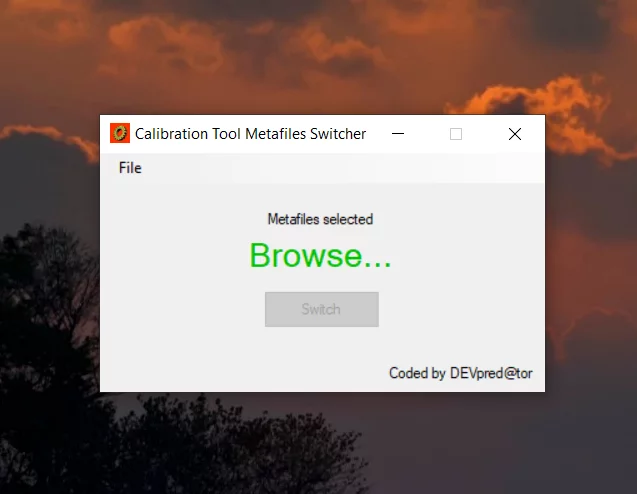
TRUCK SOFTWARE






 CLAAS
CLAAS CNH
CNH





 HITACHI


 JPRO
JPRO KUBOTA
 MAGIC TUNER
 MANITOU
 NEXIQ
NEXIQ NONSELF
 PACCAR


 PSI POWERLINK







 ZF TESTMAN





Wabco ToolBox Plus 13 Diagnostics Software ECAS CAN2 V3.00: Advanced Vehicle Management Solutions
Wabco ToolBox Plus 13 Diagnostics Software ECAS CAN2 V3.00 is designed for advanced diagnostics in heavy machinery and trucks. This software provides essential tools for monitoring and managing vehicle systems efficiently. It offers features like static and dynamic data display, fault code management, and component activation. The installation process can be completed remote via TeamViewer, ensuring quick setup for technicians.
Table of Contents
ToggleFeatures and Capabilities of Wabco Toolbox Plus 13 ECAS CAN2 V3.00
The Wabco Toolbox Plus 13 ECAS CAN2 V3.00 delivers a robust set of features tailored for modern vehicle diagnostics and management. This software excels in its advanced capabilities, providing effective tools for technicians in the field.
Advanced Diagnostic Functions
Static and Dynamic System Data Display
The software allows for a comprehensive view of both static and dynamic data from various vehicle systems. This feature is crucial for real-time assessments, enabling technicians to monitor vehicle performance effectively as they conduct their diagnostics.
Fault Code Reading and Clearing
A vital function of the Toolbox is its ability to read and clear fault codes. This streamlines the troubleshooting process, as technicians can quickly identify issues and reset codes after repairs, ensuring smooth operation.
Activation and Verification of Components
Activation capabilities allow for the testing and verification of vehicle components. This function ensures that all parts operate correctly and adhere to safety standards, enhancing the overall reliability of the vehicle systems.
Programming and Calibration Options
Post-Sale System Programming
Post-sale programming is an essential aspect of fine-tuning vehicle systems after installation. This feature enables technicians to customize functionalities as needed, catering to specific customer requirements.
Calibration for Electronic Leveling and Brake Systems
Calibration capabilities ensure that electronic leveling and brake systems function optimally. Precise calibration is critical for maintaining vehicle safety and performance under various conditions.
Communication and Monitoring Tools
J1939 Bus Monitoring
Monitoring tools such as J1939 bus diagnostics provide insights into the communication between various electronic modules. This capability helps identify issues in the vehicle’s electronic communication networks, facilitating quicker repairs.
Diagnostic Interface Requirements
Proper diagnostic operations necessitate compatible interfaces to connect the software with the vehicle’s systems. Understanding these requirements is key to ensuring effective troubleshooting and diagnostics.
Installation and Usage Guidelines
Proper installation and usage of the Wabco ToolBox Plus 13 Diagnostics Software is crucial for optimal performance and functionality. The following guidelines offer detailed insights into the necessary system requirements, installation process, and available support resources.
System and Hardware Requirements
Meeting specific system and hardware criteria ensures a smooth operational experience. Technicians should verify compatibility before attempting installation.
Compatible Windows Operating Systems
- Windows 7
- Windows 8
- Windows 10
- Windows 11
Required Diagnostic Hardware and Interfaces
To facilitate communication between the software and the vehicle, the following diagnostic hardware is essential:
- OBD standard connectors
- Custom cables for specific vehicle types
Installation Process via TeamViewer
TeamViewer enables convenient remote installation, streamlining the setup process. Follow the steps outlined below for a successful installation.
Remote Installation Steps
- Download TeamViewer on your computer.
- Contact Wabco support to initiate the remote session.
- Grant access permissions for the installation process.
- Follow on-screen prompts to complete the setup.
Troubleshooting Common Installation Issues
Addressing installation problems promptly prevents operational delays. Common issues may include:
- Connection errors: Ensure cables and connectors are properly connected.
- Software compatibility issues: Verify that the system meets the specified requirements.
User Training and Support Resources
Adequate training enhances the software’s effectiveness. Wabco offers various resources for users to maximize their experience.
Wabco Pro Academy Training Opportunities
Technicians can enroll in courses through the Wabco Pro Academy, which aim to provide expert knowledge on using the diagnostics software effectively.
Access to Repair Documentation and Manuals
Users benefit from comprehensive repair manuals and documentation that offer step-by-step instructions for troubleshooting and repairs, ensuring efficient upkeep of vehicle systems.
Benefits and Practical Applications for Technicians
The implementation of advanced diagnostic tools significantly enhances technician efficiency and effectiveness in vehicle maintenance and repair.
Efficiency Improvements in Vehicle Diagnostics
The design of diagnostic software plays a crucial role in the speed and accuracy of identifying vehicle issues. With an intuitive interface, technicians can quickly navigate the system to diagnose problems, reducing the time spent on each vehicle.
Time Savings with Intuitive Software Design
Effective diagnostic tools streamline the troubleshooting process. This leads to faster fault identification and resolution, allowing technicians to service more vehicles in a shorter time frame. The user-friendly layout minimizes the learning curve for new users, making it accessible for both seasoned professionals and newcomers.
Offline Accessibility for Challenging Environments
Operation in environments with limited internet connectivity is simplified thanks to offline capabilities. Technicians can perform diagnostics anywhere without relying on online resources, ensuring uninterrupted service regardless of location.
Enhanced Safety and System Integrity
Maintaining safety and ensuring proper functionality is paramount in vehicle maintenance. Advanced diagnostic tools directly contribute to this goal.
Ensuring Proper Installation and Wiring
Diagnostics include detailed checks for proper wiring and installation of components, which are critical for vehicle safety and functionality. Accurate diagnostics help identify potential issues before they become serious problems.
Diagnosing Critical ABS and Suspension Systems
Specialized features allow technicians to focus on critical systems like ABS and suspension. Addressing these areas promptly enhances vehicle safety and performance, ensuring compliance with industry standards.
Integration with Genuine Parts Programs
Access to comprehensive parts programs elevates repair quality and reliability.
Access to Wabco Parts Catalog
Technicians can seamlessly integrate genuine parts into repairs, fostering an environment of trust and reliability in service. This access promotes the use of high-quality components that meet or exceed vehicle specifications.
Managing Repairs with Genuine Components
Using original equipment manufacturer (OEM) parts ensures compatibility and durability. This strategic approach aligns with best practices in vehicle maintenance, ultimately enhancing the overall performance of the vehicles serviced.
Customer reviews and industry feedback play a vital role in assessing the efficacy of diagnostic software solutions for heavy machinery and trucks.